
Reset Garage Door Keypad: A How-to Guide
AUGUST 07, 2025 | Home Care Buzz Experts | 4 minute read
If your garage door keypad isn’t working the way it should, it may be time for a reset. When your keypad stops responding, a reset can often fix the problem and get your garage door working correctly again. You usually need to reset the keypad after a power outage, battery change, or if it stops responding for no apparent reason.
Let’s walk through why your keypad may be acting up and how to reset it.
Why Is My Garage Door Keypad Not Working?
Before you reset the keypad, it helps to know what’s causing the issue. Sometimes it’s a minor fix, like swapping out the batteries. Other times, the keypad might need to be reprogrammed or replaced.
Here are some of the most common reasons your garage door keypad isn’t working — and how to fix them:
- Dead or weak batteries: If the keypad doesn’t light up or respond when you press the buttons, the batteries might be dead. Try replacing them first.
- Loose or damaged wiring: Wires inside the keypad can wear out or get knocked loose over time. If you’re comfortable doing minor wiring work, turn the power off and open the unit. Look for frayed or disconnected wires.
- Keypad and opener out of sync: If the keypad isn’t paired correctly with the opener, it won’t send the proper signal. A reset and reprogramming can fix this. Consult your owner’s manual for assistance.
- Weather damage: Moisture, extreme heat, or freezing temperatures can affect how the keypad works. Exposure to the elements can lead to internal corrosion or short circuits, in which case, the keypad may need to be replaced.
- Stuck or unresponsive buttons: Dirt and wear can cause the buttons to stick or stop working. Try cleaning the keypad. Also, be sure to press each button firmly.
- Power surge or outage: A power interruption can disrupt the connection between the opener and keypad. In this case, a reset often restores this functionality.
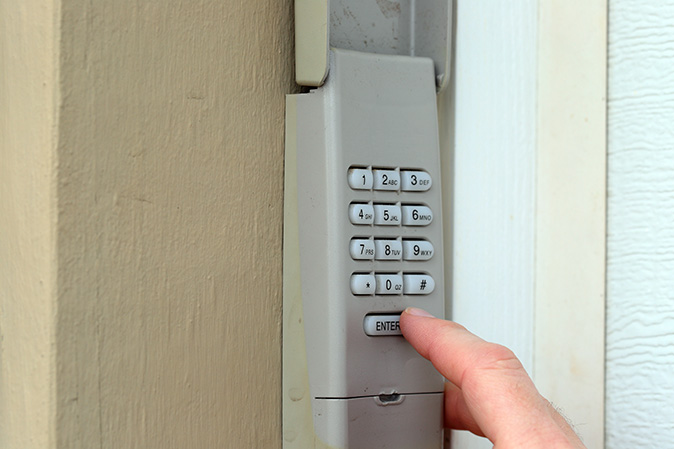
How to Reset Your Garage Door Keypad
If the batteries are good and the wiring looks OK, a keypad reset may do the trick. Resetting your garage door keypad helps reestablish the connection between the keypad and the opener.
Follow these simple steps to reset your garage door keypad:
Step 1: Clear Any Old Codes
Some keypads have a “reset” or “program” button. Press and hold this button until the keypad light blinks. Doing so clears the old code.
Note: If your keypad doesn’t have a dedicated reset button, skip this step.
Step 2: Locate the “Learn” Button on the Garage Door Opener
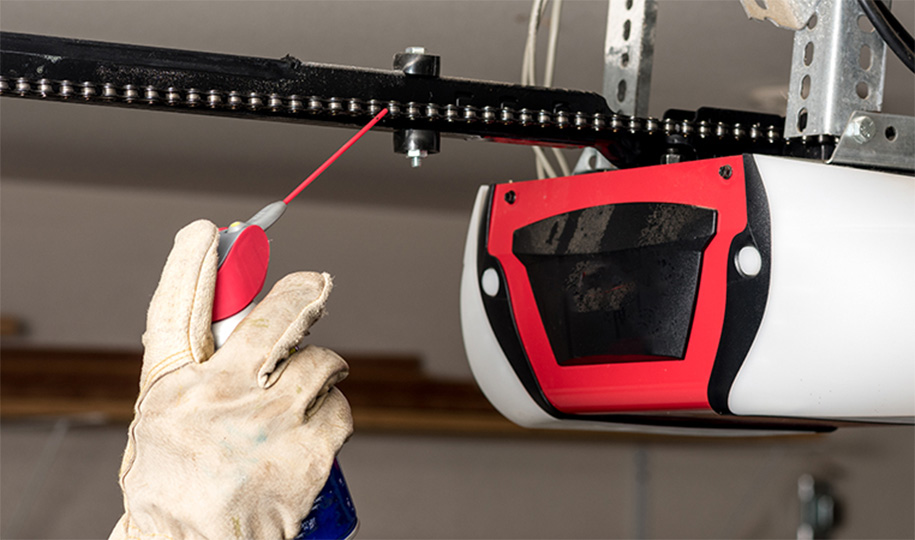
Set up a ladder under the garage door opener unit (usually mounted to the ceiling of your garage). Find the “Learn” button on the back or side — it may be under a light cover. This button is often red, yellow, orange, or purple.
Press and release the “Learn” button. The indicator light should turn on, giving you about 30 seconds to move to the next step.
Note: Some older garage door openers don’t have a “Learn” button. Check the manual for reset steps — these models may use DIP (dual in-line package) switches, which are small toggle switches inside the keypad and opener that need to match to work properly.
Step 3: Enter a New Code on the Keypad
Within 30 seconds of pressing the Learn button, enter a new 4-digit code on the keypad. Then press the “Enter,” “Send,” or “Learn” button (label varies by model).
If this is successful, the garage door opener’s light may blink, or you’ll hear a clicking sound.
Step 4: Test the Keypad
Wait a moment, then enter your new code again. The garage door should open or close. If it doesn’t work, double-check the steps and try again.
Step 5: Reprogram Your Remote Controls
Sometimes resetting the keypad can wipe out other connected remotes. If your handheld remotes no longer work, press the Learn button again and follow your garage door opener’s instructions to sync them.
If the keypad isn’t the problem, it could be part of a larger issue with your garage door system. In that case, it may be worth checking out some basic garage door maintenance tips to try getting everything working as it should.
When Should You Replace Your Garage Door Keypad?
If you’ve replaced the batteries, checked the wiring, and reset the keypad — and it’s still not working — it may be time to replace it. Here are signs that your keypad is beyond repair:
- The keypad doesn’t light up, even with fresh batteries
- Buttons are cracked, faded, or unresponsive
- The keypad gets stuck in one mode and won’t accept new codes
- An issue with the wiring is not within your DIY abilities to fix
- You’ve tried resetting it several times with no success
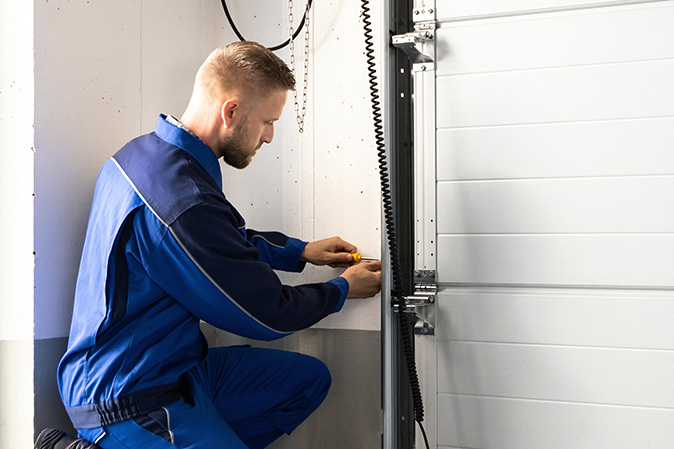
Does a Home Warranty Cover Garage Door Openers?
Yes, it does. All of First American’s plans include coverage for garage door openers. If your garage door opener stops working — whether it’s due to a keypad issue or another problem — First American Home Warranty can take care of the repair or replacement.
Garage door opener breakdowns happen, especially with daily use. Keypads can stop responding, motors can wear out, and remotes can lose connection. You can also upgrade your home warranty plan to cover garage door springs, hinges, and transmitters.
A home warranty makes it easier to handle covered issues for garage door openers and many other appliances and systems, without having to search for a repair technician.
Stay One Step Ahead of Garage Door Issues
Don’t let a faulty garage door opener leave you locked out. Resetting your keypad can solve most issues — and if it doesn’t, it might be time for a replacement.
Get a free quote from First American Home Warranty today and see how we take care of covered garage door opener repairs or replacements.
The contents of this article are provided for general guidance only. First American Home Warranty does not assume any responsibility for losses or damages as a result of using this information.
Please be aware that if you disassemble a covered system or item, it can invalidate your home warranty or manufacturer's warranty.


Home Care Buzz Experts
The First American Home Care Buzz team is made up of experienced home warranty writers and editors. Our team provides valuable insights and information to help homeowners like you meet the daily challenges of homeownership.
This article is about...